
Free up space on your Mac in one click
Finds junk, duplicates and forgotten files. Anything you remove can come back.
macOS 14+ · Apple silicon (M1 or later)


* On the developer's own Mac, Oct 31, 2026. Yours will differ.
Half a minute to get it
The real app: scan, results, cleanup and the Restore button.
More space — without spending more

Space without a new Mac
Three tools in one
 Cleanup
 Disk Map
 Duplicates

Mistakes are undoable
Everything you remove lands in the log. One button puts it back.
Apple price from the MacBook Air M5 announcement, March 2026.
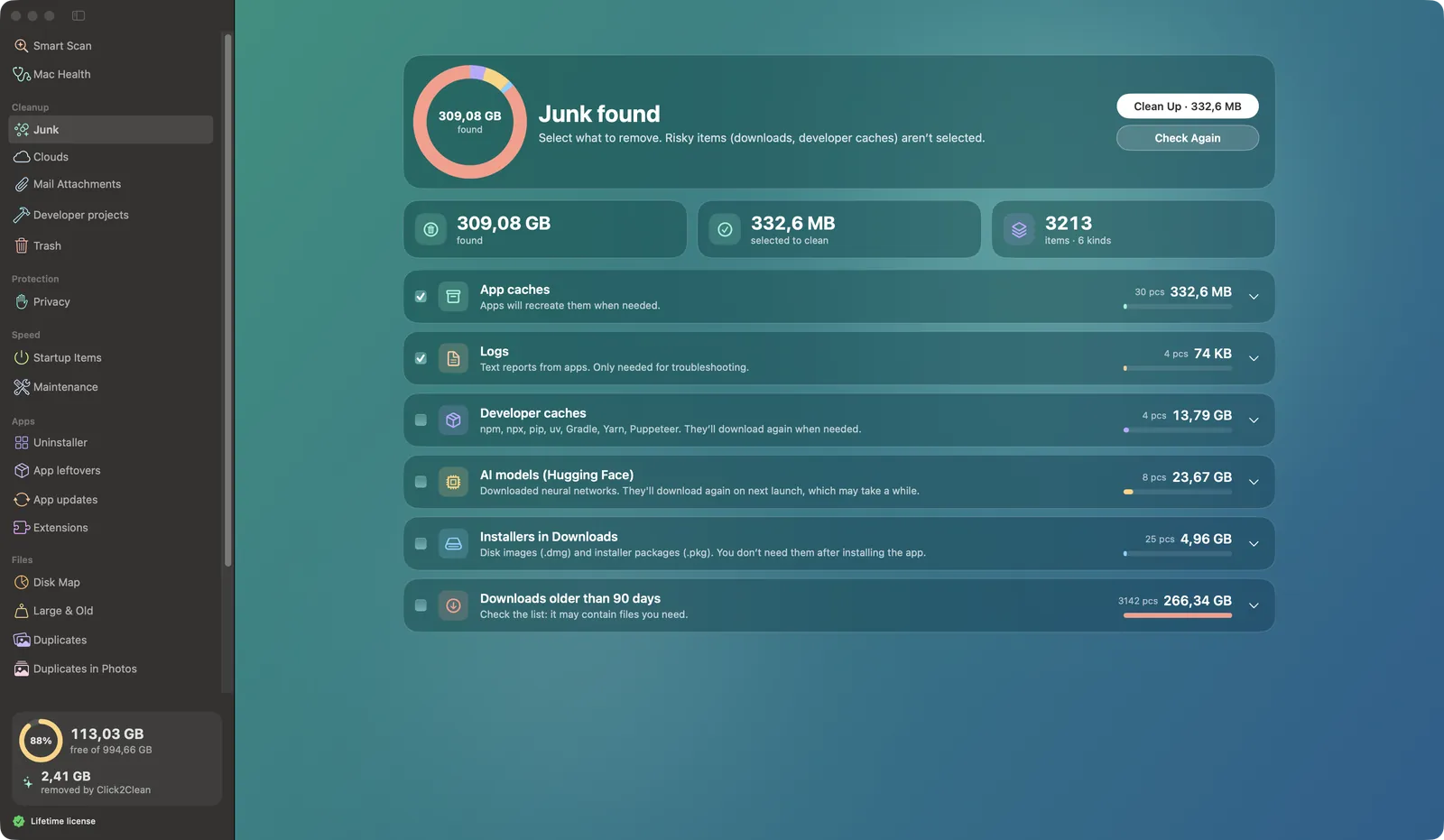
Junk — found and sorted
Caches, logs, builds, installers. Anything risky stays unchecked.

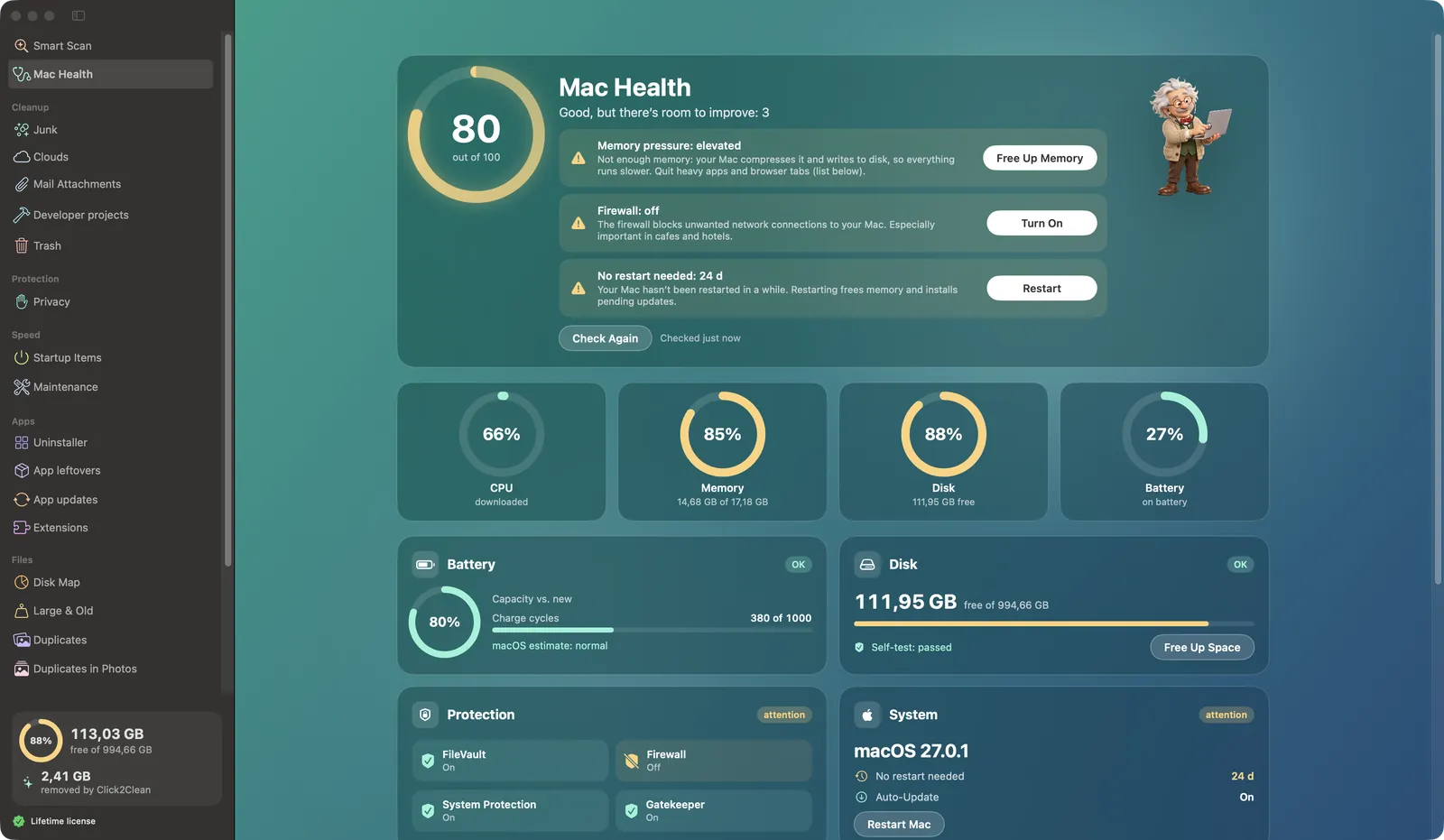
Mac health at a glance
CPU, memory, disk, battery. Spot a problem — fix it with one button.
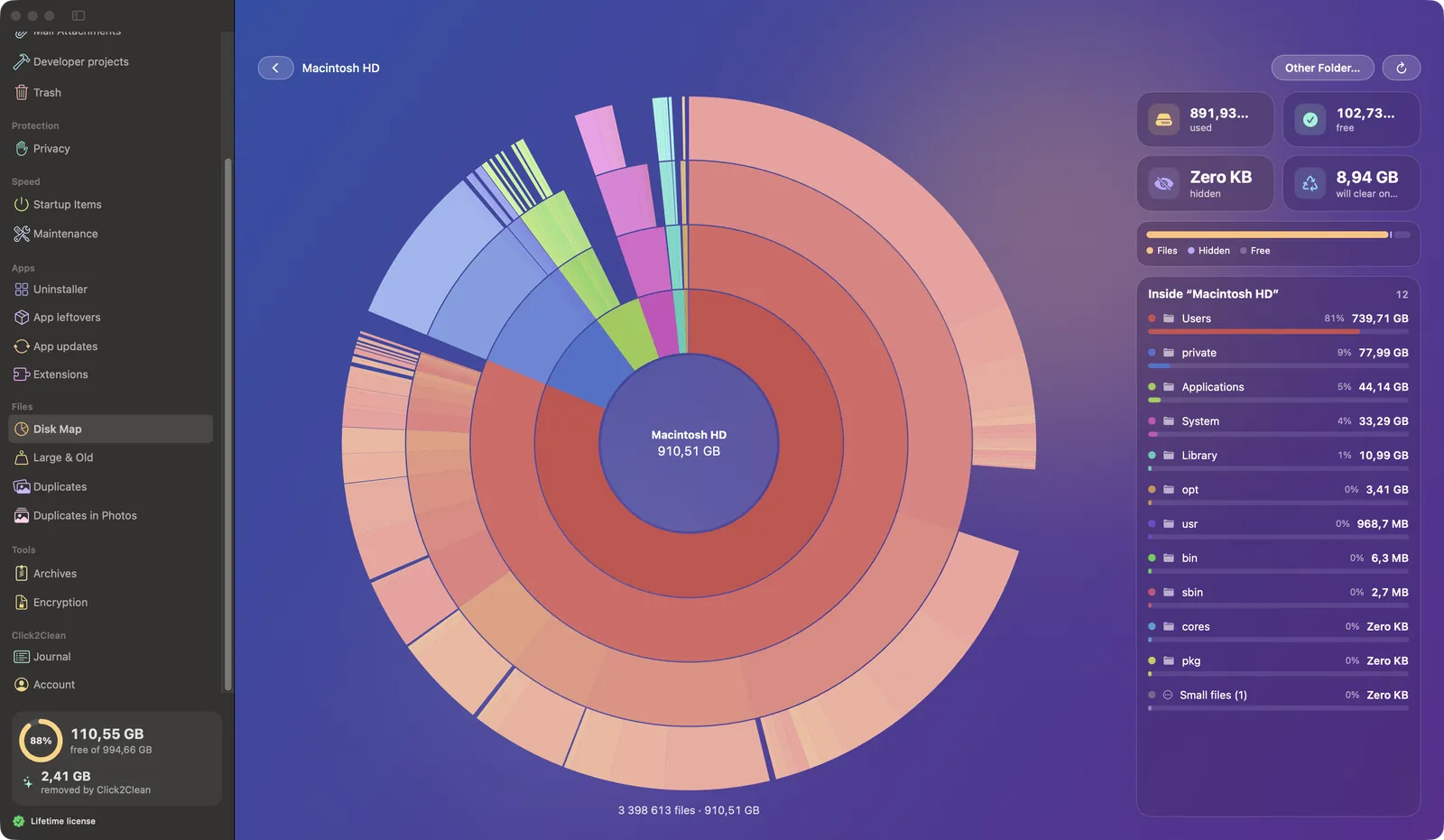
Disk Map — see what ate your space
Folders as rings. Click a segment to dive in.
Everything your Mac needs, in one window
Tap any tool to see the real app window.
Cleans boldly. Restores just as easily
- You choosethe app never deletes on its own
- Lock checksevery path before deletion
- To the Trashnot erased for good
- Loggedwhat, where, when
- Restorefile back in place

The lock never lets through
161 tests deliberately try to delete what's off-limits — and get refused.
Free for the whole beta
Scans, the Disk Map and decryption stay free forever. Prices in Russian rubles.
Monthly
For a one-off clean-up
- All 22 tools
- Up to 2 Macs
- Cancel in the app
Lifetime
About three years of Yearly
- All 22 tools
- Up to 2 Macs
- Free 1.x updates
- 7-day free trial
- 14-day money-back
- Auto-renewal only if you opt in
- Purchase terms (in Russian)

Click2Clean 0.1
Download the free betaUpdates itself from then on. Today's beta download is in Russian; the English interface arrives with the next update.
First launch
The beta isn't notarized by Apple yet — macOS warns you once.
- Drag Click2Clean into Applications.
- Open it. On the warning, click Done.
- System Settings → Privacy & Security → Open Anyway.
macOS 14: right-click → Open → Open.
Quick answers
Will it delete anything without asking?
No. Scans only look. Nothing goes until you press the button, and the lock still filters out anything risky.
I removed too much. How do I undo it?
Activity Log → Restore on that line. Works as long as the Trash hasn't been emptied.
What happens after the beta?
The plans above kick in. Scans, the Disk Map and decryption stay free.
Do my files go anywhere?
No, everything stays on your Mac. The app goes online for updates, App Store versions of your apps and your license. Once a day it sends an anonymous “running” ping — no files, names or email; turn it off in Account.
Why does macOS warn me?
The beta isn't notarized by Apple yet. The app is signed, and updates are verified with a digital signature.
Will it run on my Mac?
Apple silicon (M1 or later) with macOS 14 or later. No Intel version yet.
Is the app in English?
English is ready and ships with the next beta update — the app will offer to install it. The version you download today is in Russian.

How much space is your Mac hiding?
The scan is free and never deletes anything.
Scan for free